The Shift to AI-Native Data Architecture: What IT Leaders Must Do Now
If you’re an IT or data leader, you’re probably feeling the squeeze from all sides:
-
Business teams want copilots now.
-
Vendors keep shipping “AI-native” features.
-
Your current data platform is already straining under dashboards, ETL, and compliance demands.
Here’s the uncomfortable truth: most enterprise data platforms were never designed for LLMs, AI agents, or vector search. They were built for reports and batch analytics.
A new pattern is emerging to fix that: AI-native data architecture — a data platform built from the ground up to power LLMs, AI agents, vector search, event-driven decisioning, and autonomous operations.
This article breaks down what that actually means, why it matters now, and how to start evolving your existing stack (Informatica, Salesforce, Databricks, Snowflake, BigQuery, Azure, AWS) without a risky “big bang” rewrite.
The shift: from “cloud-native” to AI-native
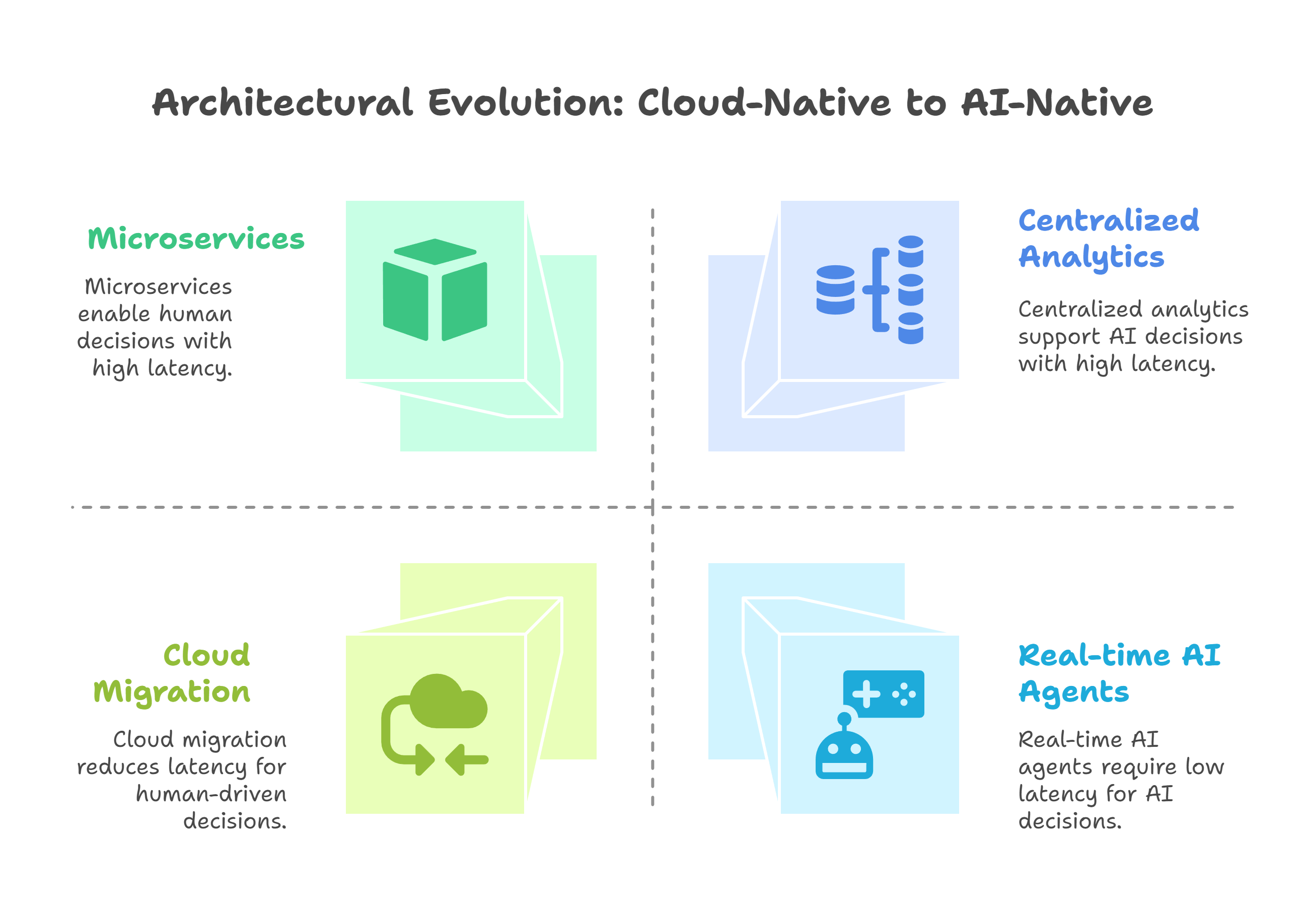
For the last decade, the goal was cloud-native:
That got us elasticity and speed—but mostly for human-driven decisions via dashboards and reports.
AI-native is different:
- Decisions increasingly made or assisted by models and agents
- Context lives not only in tables, but in events, embeddings, and unstructured content
- Latency expectations drop from hours to seconds
In other words, AI can’t just be “another workload” on yesterday’s architecture. It needs an architecture designed with AI as a first-class citizen.
What is an AI-native data architecture (in plain terms)?
Think of an AI-native data architecture as your enterprise AI nervous system:
-
Event-driven at its core– business activities show up as streams (orders, logins, transactions, interactions), not once-a-day batches.
-
Vector-aware by design– you treat embeddings and semantic search as standard, not exotic.
-
LLM-ready data platform– data is structured, cleaned, and governed so LLMs and agents can safely use it.
-
Cloud- and SaaS-composable– you orchestrate services across Databricks, Snowflake, BigQuery, Salesforce, Informatica, Azure, and AWS as one platform, not silos.
_%20-%20visual%20selection%20(1).png?width=2829&height=1381&name=What%20is%20an%20AI-native%20data%20architecture%20(in%20plain%20terms)_%20-%20visual%20selection%20(1).png)
If your current platform makes it painful to answer questions like: “Show me similar customer cases from the last 12 months and recommend the next best action—right now, inside Salesforce.” …then you’re probably not AI-native yet.
Story: When a “good” data platform isn’t good enough
The problem
A North America–based enterprise (let’s call them ApexCo) had what most would call a successful modern stack:
- ETL into a cloud data warehouse
- BI dashboards for sales, operations, and finance
- CRM in Salesforce, data integration via Informatica
- Data lake + some Databricks notebooks on top
Then leadership asked for:
- A customer-service copilot that could summarize cases and suggest resolutions
- Real-time fraud and risk alerts using behavioral signals
- Proactive “next best offer” recommendations across channels
On paper, they had the tools. In practice:
- Data was mostly batch, not event-driven
- Content was scattered: tickets in one system, emails in another, docs in a shared drive
- No vector layer for semantic search
- Governance wasn’t ready for prompts, embeddings, or agent behavior
So every AI proof-of-concept became a fragile, one-off integration. It worked in demo, struggled in production.
The solution
Instead of buying yet another AI tool, they reframed the project as an AI-native data architecture evolution:
1. Introduced an event backbone (streaming/bus) to capture key signals in near real time.
2. Modernized their lakehouse/warehouse on Snowflake and Databricks for unified analytics and ML.
3. Added a vector search layer integrated with their analytical platform.
4. Tightened governance, quality, and lineage with Informatica + cloud-native tools.
5. Embedded AI capabilities directly into Salesforce and internal portals so users never had to “go to the model.”

Within months, they were rolling out reusable AI building blocks instead of bespoke proofs-of-concept.
That shift—from project to platform—is the essence of AI-native architecture.
Core building blocks of an AI-native data architecture
1. Event-driven data architecture
Instead of relying only on nightly ETL, an AI-native platform captures what’s happening right now:
- Customer activity: logins, clicks, calls, purchases
- Operational events: shipments, delays, outages
- System health: logs, metrics, anomalies
Tools and patterns:
- Cloud-native streaming (e.g., Kinesis, Event Hubs, Pub/Sub) or Kafka
- Salesforce event streams for CRM and engagement data
- Change Data Capture (CDC) from transactional systems
Why it matters: LLMs and agents can make better decisions when they see the latest state, not yesterday’s snapshot.
2. Vector-aware architecture and RAG
Text, tickets, docs, and logs are gold for AI—but only if you can retrieve the right context at the right time.
Key components:
-
Embedding pipelines (Databricks, AWS, Azure ML, etc.) to convert text into vectors
-
A vector store integrated with your lakehouse or warehouse (e.g., Snowflake’s or Databricks’ vector capabilities, BigQuery’s vector and semantic functions)
-
RAG (retrieval-augmented generation) patterns so LLMs use your data, not just what they were pre-trained on
Use cases:
-
Knowledge-aware chatbots for support
-
Semantic search across policies, contracts, or SOPs
-
Developer copilots aware of internal code and standards
Why it matters: Without a vector-aware layer, your LLMs hallucinate more and help less.
3. A unified, LLM-ready data platform
Behind the scenes, you still need a robust enterprise AI data platform:
- Lakehouse/warehouse on Databricks, Snowflake, or BigQuery
- Integration and quality pipelines via Informatica, cloud-native ETL/ELT, and APIs
- A consistent semantic layer and business definitions
AI-native design principles:
-
Model data around domains and events, not just tables
-
Prioritize freshness, completeness, and trust for the domains that feed AI use cases
-
Track lineage so you always know where AI is getting its answers from
Why it matters: No amount of modeling magic can fix broken, missing, or misunderstood data.
4. Governance, risk, and control for AI
An AI-native architecture bakes in governance, rather than adding it afterward:
-
Access controls for sensitive data used in prompts and RAG
-
Policies for what AI agents can and can’t do (e.g., read-only vs. transactional actions)
-
Monitoring for data drift, prompt injections, and misuse
-
Audit trails for who used which models and data, and when
Platforms like Informatica plus Azure Purview, AWS Lake Formation, or GCP Dataplex (and equivalents) help unify data governance across your estate.
Why it matters: Regulators, customers, and internal stakeholders will ask: “How do you know this AI is safe, compliant, and explainable?” You need answers built into the architecture.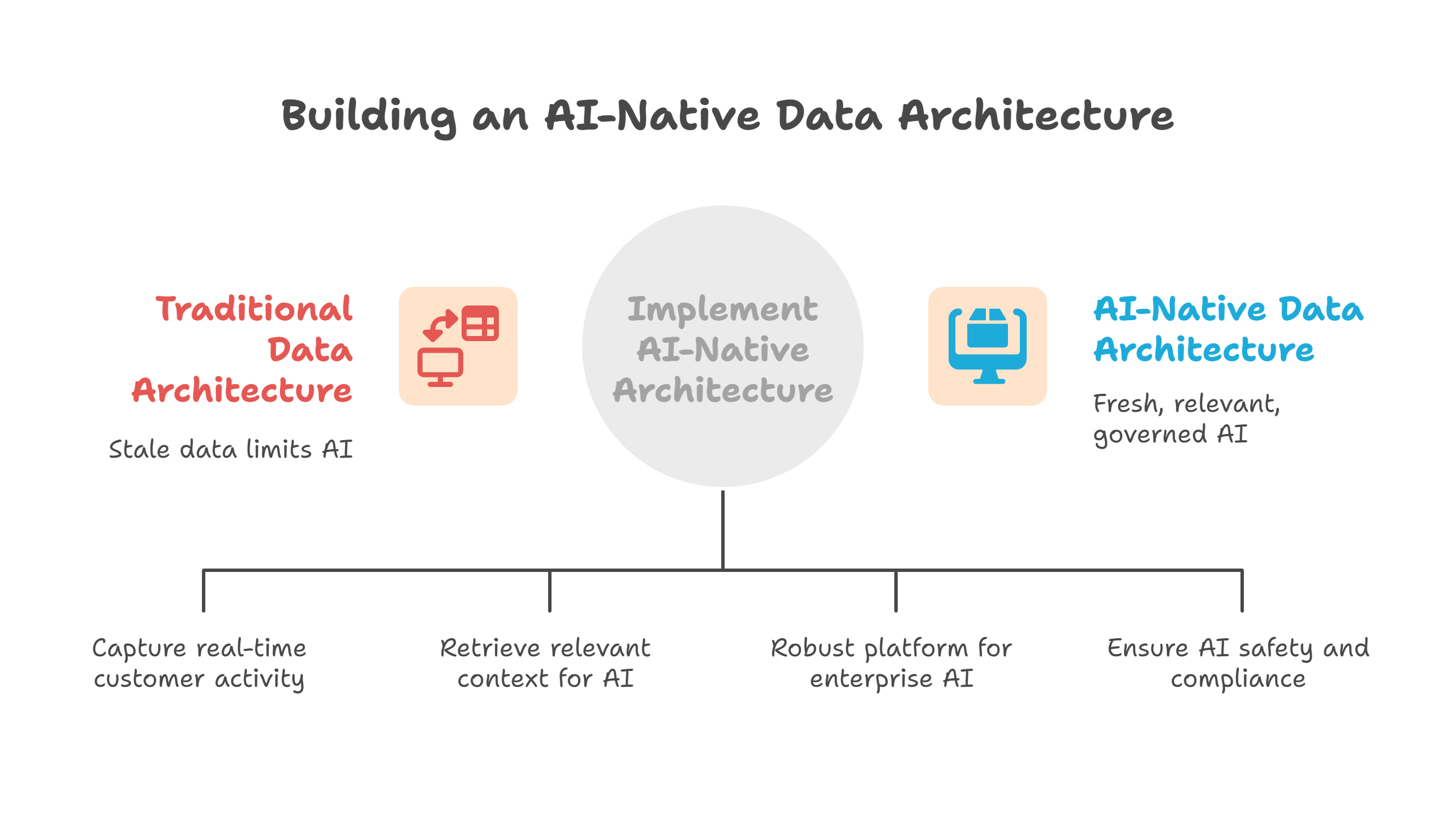
A practical runbook: how to get started (without boiling the ocean)
Here’s a simple, 6-step runbook you can use in your own planning:
1. Pick 2–3 flagship AI use cases
- e.g., support copilot, collections prioritization, real-time risk scoring.
- Align with specific KPIs (savings, revenue, CSAT, cycle time).
2. Map the data and systems for those use cases
- What events, tables, and docs are needed?
- Where do they live today (Salesforce, ERP, data warehouse, data lake)?
3. Introduce or strengthen your event backbone
- Stream key changes instead of waiting for batch loads.
- Standardize event schemas so multiple teams can consume them.
4. Stand up a vector and RAG layer
- Choose where vectors will live (Databricks, Snowflake, BigQuery, or a managed vector store).
- Build one or two RAG-based services that multiple apps can call.
5. Upgrade governance for AI
- Classify sensitive data used by LLMs.
- Define policies for who can use which models and datasets.
- Ensure logging, monitoring, and auditability are in place.
6. Industrialize with DataOps and MLOp
-
CI/CD for data pipelines and models.
-
Alerting on data quality, pipeline failures, and model performance.
-
Clear ownership: data product owners + AI platform team.
%20-%20visual%20selection%20(2).png?width=2016&height=1054&name=A%20practical%20runbook_%20how%20to%20get%20started%20(without%20boiling%20the%20ocean)%20-%20visual%20selection%20(2).png)
You do not have to rebuild everything. Start slice-by-slice, with the use cases that matter most.
KPIs that tell you if your AI-native architecture is working
As an IT or data leader, you’ll need more than anecdotes. Track KPIs like:
1. Time-to-production for new AI use cases
-
2. Real-time coverage
3. Retrieval and response quality
4. Platform reuse
-
How many use cases reuse the same embeddings, events, and data products?
-
Higher reuse = less technical debt, faster delivery.
5. Business outcome per use case
-
Revenue lift, cost reduction, or productivity gain per AI capability.
-
Ties architecture to the language your CFO cares about.
Common pitfalls (and how to avoid them)
Even strong teams stumble on similar issues:
1. Treating AI as a bolt-on
Spinning up siloed pilots that bypass your core data platform might be fast—but it usually leads to:
-
Duplicate pipelines
-
Inconsistent answers
-
Nightmarish governance
Fix: Make “platform first” a rule: any new AI use case should strengthen your shared AI-native architecture.
2. Ignoring events and vectors
Relying only on:
-
Tables in a warehouse
-
A couple of nightly jobs
-
A standalone chatbot
…will cap what you can do.
Fix: Plan explicitly for event streaming and vector search as architectural pillars, not nice-to-haves.
3. Scattered ownership
If no one “owns” the AI-native architecture, you get:
Fix: Create a joint AI Platform & Data Architecture Council (CDO, CIO, head of data engineering, security, and key business leaders).
4. Over-focusing on models, under-focusing on plumbing
It’s tempting to obsess over model selection and ignore:
-
Data contracts
-
Lineage
-
Reliability
Fix: Treat models as consumers of your architecture. If you get events, vectors, and governance right, you can swap or upgrade models with far less friction.
%20-%20visual%20selection%20(1).png?width=2196&height=1244&name=Common%20pitfalls%20(and%20how%20to%20avoid%20them)%20-%20visual%20selection%20(1).png) Who should lean into this now?
Who should lean into this now?
This is especially relevant if you:
-
Lead IT, enterprise architecture, or data platforms in a mid-to-large North American enterprise
-
Run a hybrid stack spanning Salesforce, Informatica, Snowflake/Databricks/BigQuery, Azure, or AWS
-
Are under pressure to deliver LLM-enabled features, agents, and copilots that actually reach production
If that sounds like you, AI-native data architecture isn’t just a trend—it’s your next operating requirement.
Where to go from here
You don’t need to redesign everything in one shot. A practical next step is to:
-
Pick one or two customer-facing AI use cases
-
Map how your current architecture helps—or blocks—them
-
Design a target AI-native blueprint that reuses your existing platforms (Informatica, Salesforce, Databricks, Snowflake, BigQuery, Azure, AWS) rather than replacing them
If you’d like a working session to sketch that blueprint and turn it into a concrete roadmap, the Pacific Data Integrators team can help you connect the dots between strategy, architecture, and delivery.
FAQs
1. What is an AI-native data architecture?
2. How is an AI-native data architecture different from a traditional cloud-native data platform?
3. Why do LLMs and AI agents need a vector-aware data architecture?
4. How does an event-driven data architecture support real-time AI decisioning?
5. Which platforms can I use to build an AI-native data architecture (e.g., Snowflake, Databricks, BigQuery, AWS, Azure, Salesforce, Informatica)?
6. How do I modernize my legacy data warehouse into an LLM-ready data platform?
7. What KPIs should IT leaders track to measure AI-native data platform success?
8. How can I avoid common pitfalls when moving to an AI-native data architecture?