
Introduction
Your Ab Initio estate might be reliable—but for many North American enterprises, “reliable” has quietly become “restrictive.” Cloud mandates accelerate. AI programs demand fresher data. Teams are asked to deliver more pipelines, more governance, and more value—without expanding headcount.
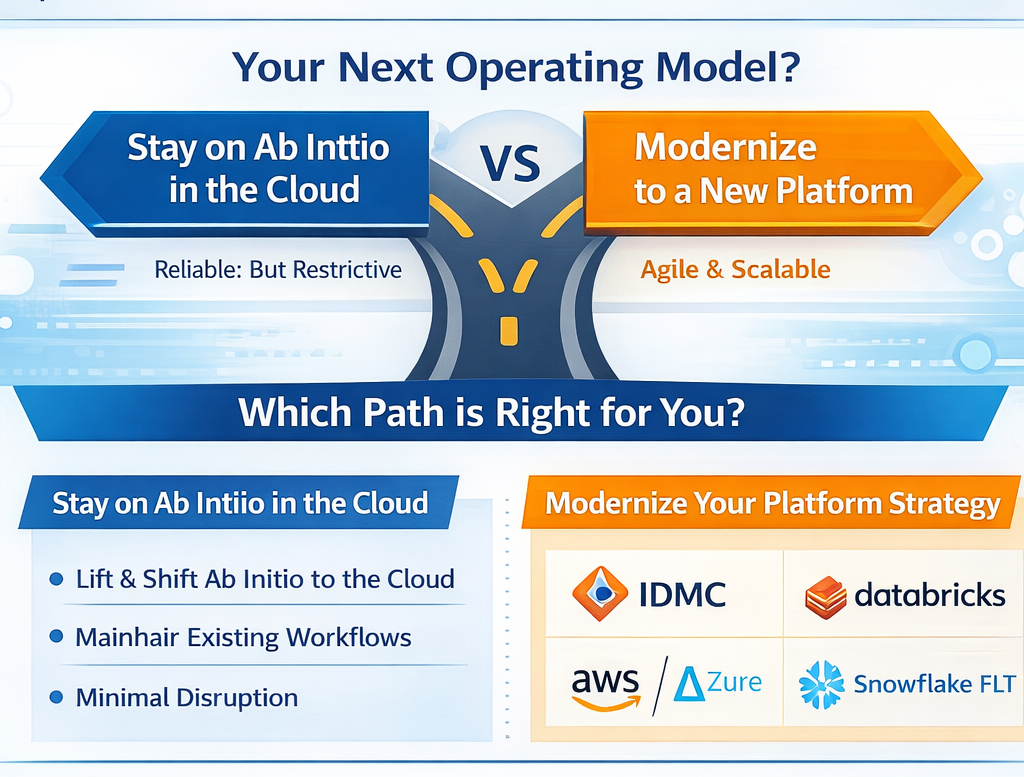
That’s why Ab Initio modernization shows up in transformation roadmaps even when “Ab Initio can run in cloud.” The real question isn’t whether you can move it—it’s what operating model you want next: stay on Ab Initio in a cloud footprint, or modernize into a platform strategy like IDMC, Databricks, AWS/Azure-native integration, or Snowflake ELT.
Why enterprises modernize Ab Initio on-prem (the “push” signals)
In Gartner Peer Insights reviewer feedback, common pain themes include:
- High costs and comments that it “requires upgrade of hardware for optimal use.”
- Tooling friction, including “restricted to Windows for development tools” and “limited to no online help for new users.”
- Ecosystem constraints, a “closed ecosystem” and “vendor dependency.”
These are classic “threshold” issues: the platform may work, but it becomes harder to scale delivery, hiring, and modernization patterns as the business shifts toward cloud-first analytics and AI.
Step one: pick the right migration strategy (the 4 “R” options)
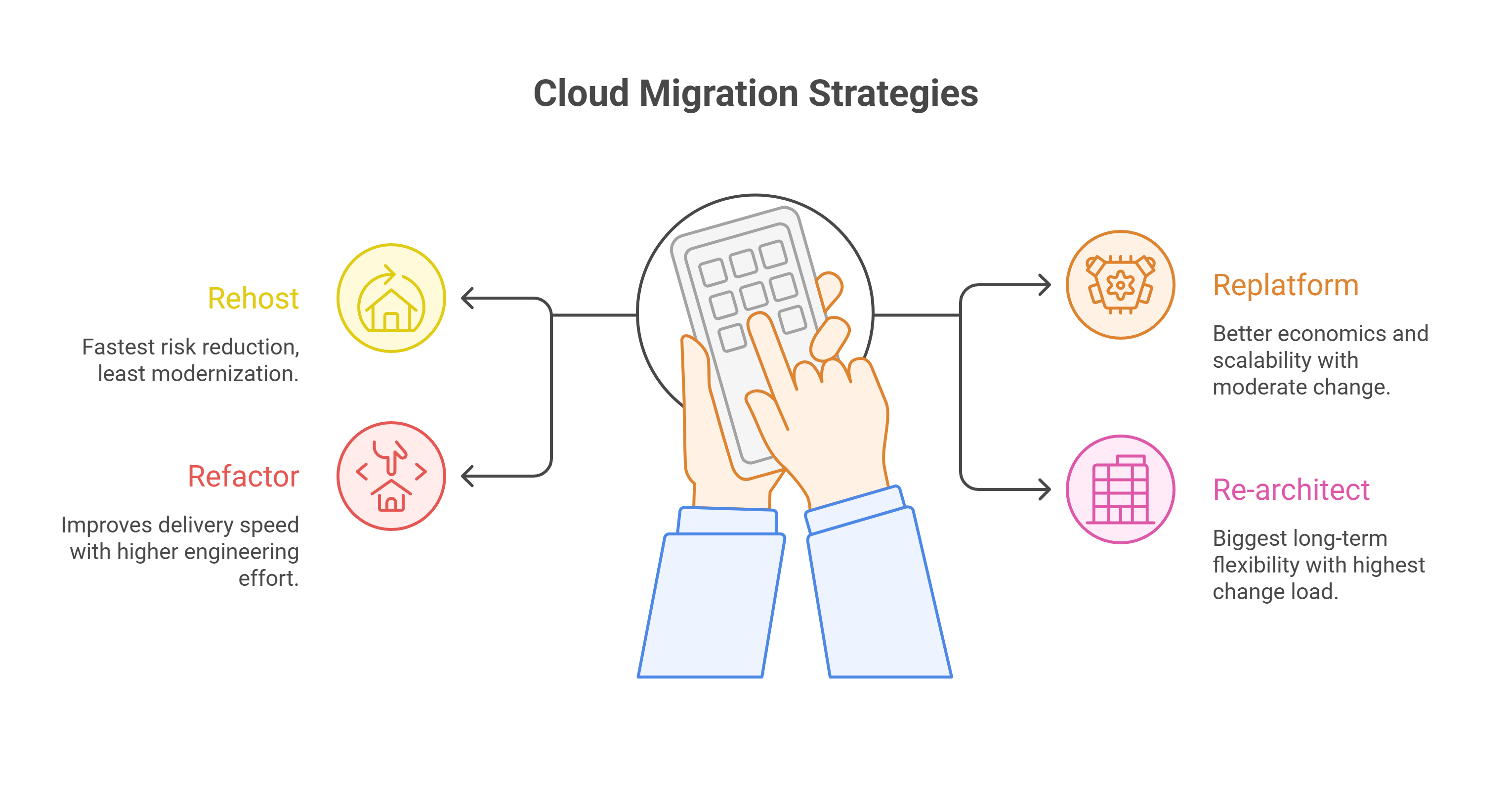
Ab Initio modernization maps cleanly to the same four migration strategies used across large cloud programs: Rehost, Replatform, Refactor, Rearchitect. AWS Prescriptive Guidance frames these as standard approaches for large migrations. (Microsoft Learn)
How Ab Initio itself aligns: Ab Initio describes a staged cloud path that starts by “moving VMs off premises,” then shifting to “object storage,” and later moving toward “containers.”
A quick decision lens
- Rehost (lift & shift): Fastest risk-reduction (data center exit), least modernization value
- Replatform: Better cloud economics and scalability with moderate change
- Refactor: Improves delivery speed/DevOps patterns; higher engineering effort
-
Re-architect: Biggest long-term flexibility; highest change-management and validation load.
If your executive sponsor is pushing “AI-ready data,” you usually need more than rehost—because the bottleneck is often governance + agility + cost controls, not just infrastructure.
Choosing your destination: IDMC vs Databricks vs AWS/Azure vs Snowflake
Below are practical “when to choose” signals—based on the native strengths each destination brings.
1. Move to Informatica IDMC (enterprise SaaS operating model)
Choose IDMC when you want a managed, enterprise platform model and strong hybrid connectivity while modernizing.
What it solves
-
Reduces platform operations burden with managed runtime options: Informatica’s serverless runtime environment auto-scales with workload (while keeping data in your cloud environment). (Informatica Docs)
-
Enables hybrid execution: the Secure Agent connects to Informatica’s cloud to fetch tasks and connects securely to sources/targets to transfer data and orchestrate tasks. (Informatica Docs)
Benefits you can expect
-
Elasticity and scaling for integration workloads without running always-on infrastructure. (Informatica Docs)
-
Hybrid modernization patterns (keep some systems behind the firewall while moving orchestration and control plane forward). (Informatica Docs)
2. Move to Databricks (PySpark + Lakehouse engineering)
Choose Databricks when your target operating model is engineering-led pipelines (Python/Spark/SQL), and you want broad ecosystem interoperability.
What it solves
- Reduces lock-in pressure and makes future moves easier: Databricks emphasizes open interfaces and open data formats to avoid vendor lock-in and simplify integration with other systems. (Databricks Documentation)
- Enables modern pipeline patterns: Lake flow Spark Declarative Pipelines is described as a framework for batch and streaming pipelines in SQL and Python. (Databricks Documentation)
Benefits you can expect
-
Faster implementation of new use cases by standardizing on widely available skills (Python/Spark/SQL) and interoperable architectures. (Databricks Documentation)
-
Unified batch + streaming pipeline design in common languages. (Databricks Documentation)
3.Move to AWS-native data integration (AWS Glue + Step Functions)
Choose AWS-native when the enterprise is standardizing on AWS and you want serverless, scalable ETL and orchestration.
What it solves
- Replaces fixed ETL infrastructure with serverless data integration: AWS Glue is positioned as a serverless service that makes data integration “simpler, faster, and cheaper,” with built-in cataloging and pipeline creation/monitoring. (Amazon Web Services, Inc.)
- Improves orchestration with managed workflows: Step Functions provides serverless orchestration and integrates across many AWS services. (Amazon Web Services, Inc.)
Benefits you can expect
-
Auto-scaling ETL jobs and “no infrastructure to manage,” paying only for resources used (as positioned by AWS Glue). (Amazon Web Services, Inc.)
-
More reliable orchestration with built-in error handling and state management (as positioned by Step Functions). (Amazon Web Services, Inc.)
4. Move to Azure-native data integration (Azure Data Factory)
Choose Azure Data Factory when you’re Microsoft-centric or need strong hybrid ETL/ELT and data integration orchestration as a managed service.
What it solves
-
ADF is positioned as a managed cloud service built for complex hybrid ETL/ELT and data integration projects. (Microsoft Learn)
Benefits you can expect
-
Centralized orchestration and broad connectivity for hybrid integration programs. (Microsoft Learn)
5. Move to Snowflake-native ELT + continuous pipelines
Choose Snowflake-native ELT when the enterprise is standardizing on Snowflake as the data platform and prefers doing more transformation “in-warehouse” with continuous ingestion.
What it solves
- Continuous loading: Snowpipe loads data as files arrive and can load in a continuous, serverless fashion using cloud messaging notifications. (docs.snowflake.com)
- CDC-style pipelines: Streams record DML changes to tables (a CDC approach). (docs.snowflake.com)
- Simplified transformation pipelines: Snowflake describes Dynamic Tables as declarative (write the query for the result you want) with an automated refresh process that schedules refresh to meet target freshness. (docs.snowflake.com)
Benefits you can expect
-
Reduced custom scheduling overhead for many transformation patterns. (docs.snowflake.com)
-
Strong native support for continuous ingest and incremental change processing. (docs.snowflake.com)
.png)
The modernization runbook
Below is a lightweight runbook used in high-performing migration programs—regardless of destination.
1) Inventory & classify (1–3 weeks)
- Pipeline inventory, schedules, sources/targets, SLAs
- Complexity tiers (simple mappings vs heavy joins/lookups vs custom code)
- Dependency map (upstream feeds, downstream BI/ML consumers)
2) Choose target operating model (work backward from outcomes)
- Do you need managed SaaS integration (IDMC), engineering Lakehouse (Databricks), cloud-native services (AWS/Azure), or warehouse-native ELT (Snowflake)?
- Decide “what stays” vs “what gets redesigned”
3) Define conversion patterns (the real accelerator)
- Standard patterns for joins, lookups, CDC, error handling, and orchestration
- Data contracts (schemas, DQ expectations, lineage requirements)
4) Automate conversion + validation (migration factory)
This is where automation changes the economics. PDI ModernizeAgent is positioned as an AI agent that converts legacy ETL workflows into cloud-native pipelines with built-in governance, lineage, FinOps optimization, and quality guardrails. (pacificdataintegrators.com)
5) Parallel run + cutover (risk control)
- Run old + new in parallel for critical pipelines
- Use reconciliation rules tied to business outcomes (not just row counts)
6) Operate & optimize (FinOps + reliability)
-
Track computes spend by pipeline/product line
-
Standardize incident response and SLA monitoring
-1.png)
KPIs to Track
-
Migration throughput: pipelines converted per week (by complexity tier)
-
Parity Pass Rate: % of runs meeting reconciliation thresholds
-
Cycle time: days from “selected” → “validated” → “cutover”
-
Unit cost: cost per TB processed / cost per successful pipeline run
-
Reliability: failure rate + MTTR for critical workflows
.png)
Common Pitfalls, How to Avoid Them
-
Treating ETL as “just code conversion.” Most delays come from hidden dependencies and unclear data contracts.
-
Under-investing in validation. Modern platforms shift patterns (ELT, streaming, serverless). Parity must be designed, not hoped for.
-
Ignoring cost governance early. IDC notes that organizations often waste 20%–30% of cloud spend, which is why FinOps discipline becomes central to modernization outcomes.
-
A single big-bang cutover. Parallel runs and wave-based cutovers reduce business risk.
ANALYST INSIGHTS
Gartner (voice-of-customer signal)Gartner Peer Insights reviewers frequently cite Ab Initio pain around cost/hardware pressure, Windows-only development tooling, limited online help, and closed ecosystem/vendor dependency.
What this means: Even if Ab Initio remains functionally strong, modernization is often driven by operating model friction (cost, skills, ecosystem, velocity), not a single “feature gap.”
McKinsey (value capture + migration risk)
McKinsey highlights that cloud migration can unlock significant value, but missteps and execution gaps can lead to overspend and delays in realizing benefits.
What this means: Data leaders should treat ETL modernization like a productized program—wave planning, repeatable patterns, and measurable KPIs—rather than a one-off rewrite.
IDC (FinOps reality check)
IDC notes organizations can waste 20%–30% of cloud spend and discusses growing adoption of FinOps practices.
What this means: Modernization success isn’t just conversion speed—it’s sustained cost governance and accountability after cutover.
Next step,
See what automated conversion + validation looks like on your Ab Initio estate
If you’re planning an Ab Initio modernization program and want a clear “wave plan” (by complexity tier) with automated conversion + validation, request a demo here. (pacificdataintegrators.com)
Where PDI ModernizeAgent Fits
If the destination platform is the “where,” migration automation is the “how.” PDI ModernizeAgent is positioned to automate legacy ETL conversion into cloud-native pipelines with governance, lineage, FinOps optimization, and quality guardrails built in.
Request a demo today: Click Here